PicHound Introduction
PicHound is a privacy-first browser extension that lets you bulk save images already visible and loaded on any webpage. It ships with 50+ smart e-commerce grouping scripts for platforms like Taobao, Tmall, JD, Amazon, and Shopee, supports 30+ interface languages, and performs all detection, filtering, editing, and saving locally in your browser — your images never touch our servers.
- Free plan: Collect and filter are free; jobs of 10 or fewer are free; 12 large batches per day
- Lifetime Pro: $13.99 one-time purchase, activate on 3 devices; unlimited activations with Google account sign-in
- AI background removal: Powered by RMBG-1.4 / MODNet; first-time model download is ~100 MB, then runs entirely offline
- Supported formats: JPEG, PNG, GIF, WEBP, BMP, SVG, AVIF
Currently supported on: Windows, macOS (Chrome, Edge, Firefox)
⚠️ Important: Copyright Notice
Before using PicHound, please understand:
- PicHound is a technical tool only and does not bypass login walls, paywalls, watermarks, or any protection mechanisms
- You are responsible for ensuring you have the right to save any image and for complying with applicable copyright laws and website terms of service
- We recommend saving only images you own or are authorized to use
PicHound does NOT:
- Bypass login walls or paywalls
- Circumvent watermarks or protection measures
- Access images not already loaded on the page
- Make extra requests to fetch hidden content
🔒 Privacy First
| Feature | How It Works |
|---|---|
| Image Detection | 100% local - analyzes only visible, already-rendered page content |
| Image Filtering | 100% local - all filter rules run inside your browser |
| Image Editing | 100% local - crop, resize, filters, and format conversion processed locally |
| AI Background Removal | 100% local - first-time RMBG-1.4 / MODNet model download is ~100 MB; subsequent runs are offline |
| Image Saving | 100% local - saves directly to your device |
| Data Collection | None - we do not collect your images, page content, or browsing data |
Your images and browsing data never leave your device.
✨ Features
📥 Bulk Save Visible Images
Save every image already visible and loaded on the current page. Options include:
- Single image save
- Sequential save packaged as ZIP
- Custom filename patterns
- Common formats supported: JPEG, PNG, GIF, WEBP, BMP, SVG, AVIF
Note: PicHound only works with images already rendered on the page. It does not crawl, scrape, or fetch additional content.

🔍 Smart Filtering
Filter images by:
- Minimum/maximum dimensions
- File format (JPEG, PNG, GIF, WEBP, BMP, SVG, AVIF)
- Domain source
- Custom rules
All filtering is done locally in your browser.
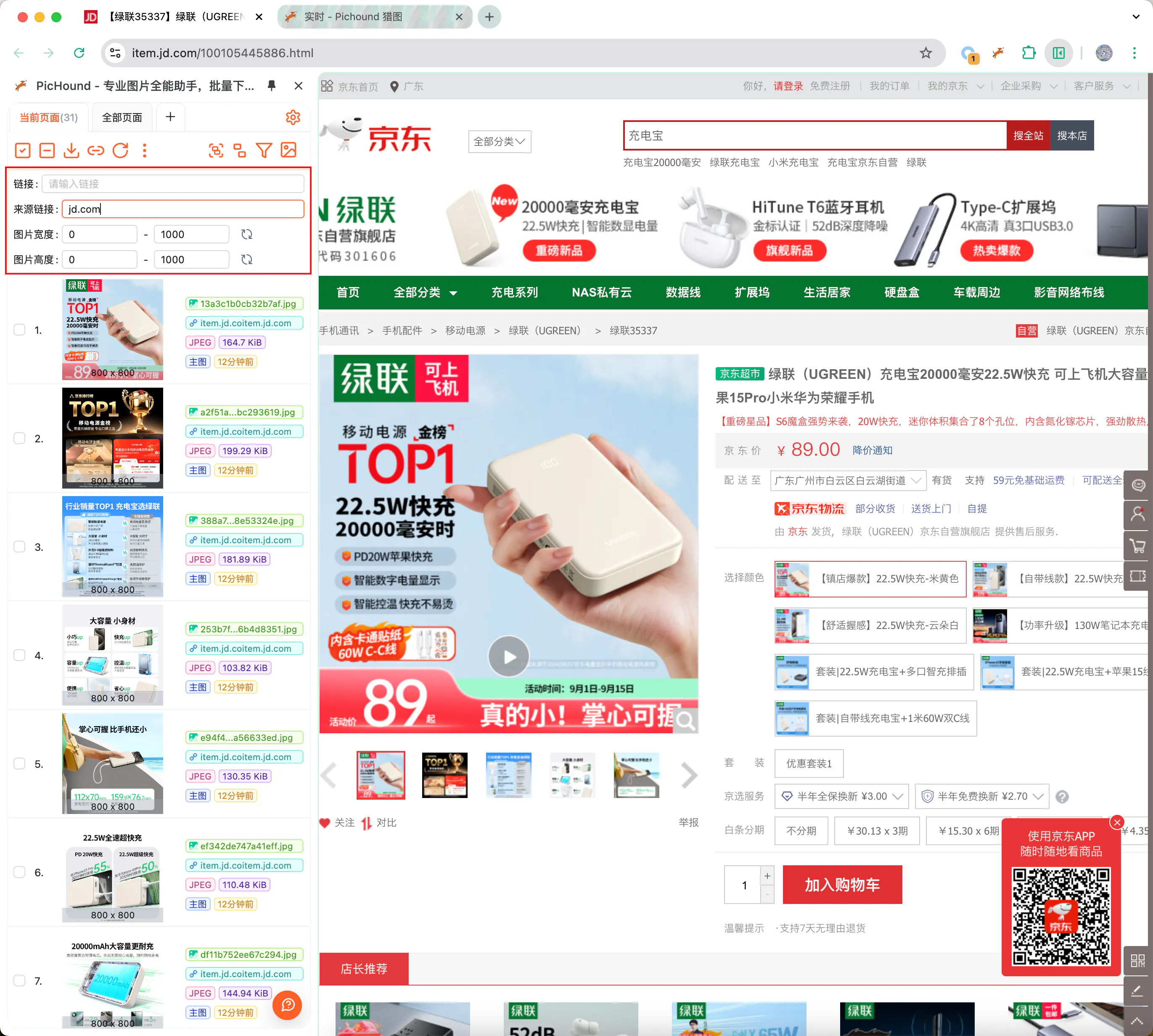
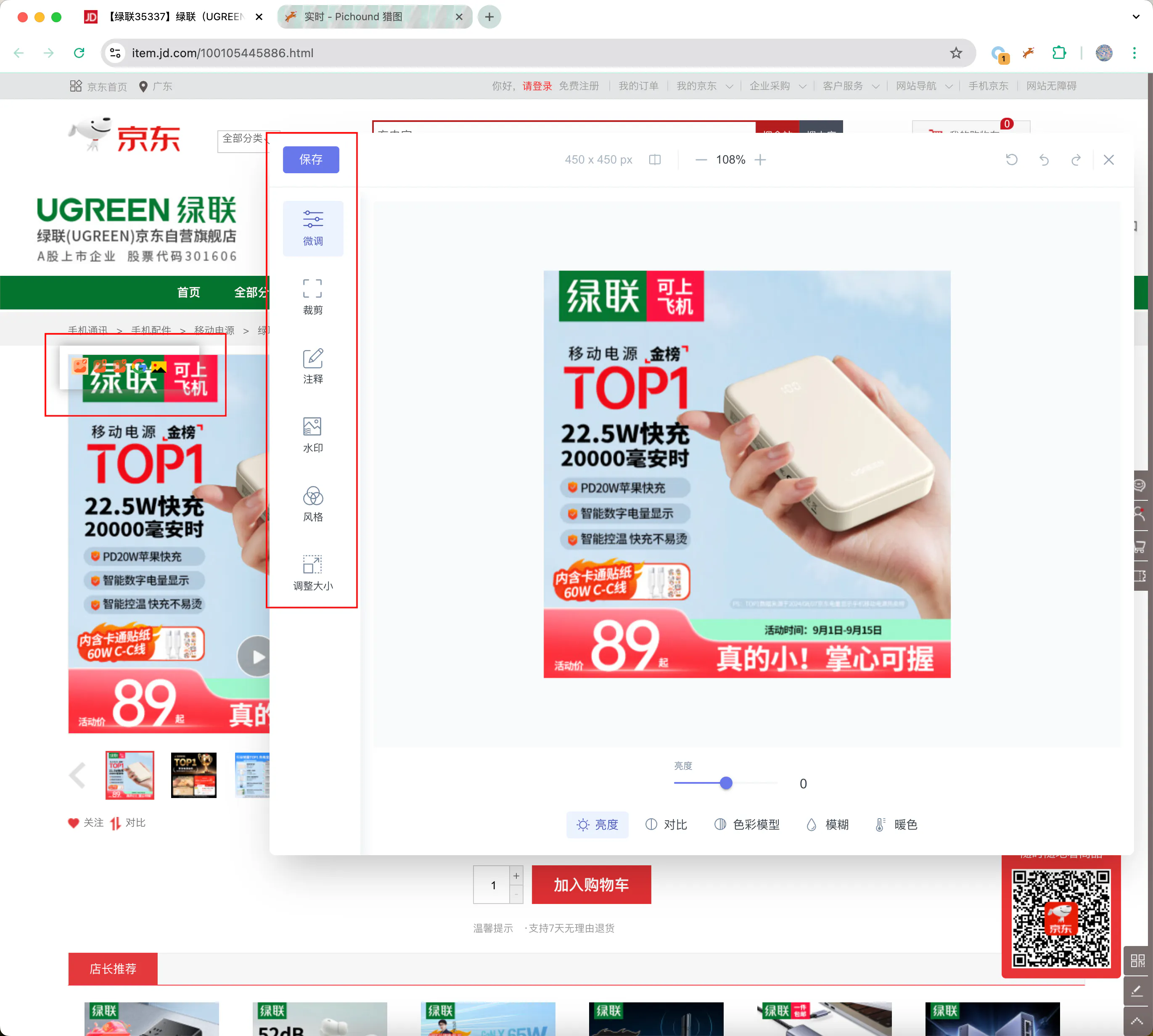
✏️ Local Image Editing & AI Processing
Edit images without leaving your browser:
- Crop, resize, and rotate
- Add annotations and filters
- Adjust colors and extract dominant colors
- Convert image formats
- AI background removal: Powered by RMBG-1.4 / MODNet; ~100 MB first-time model download, then 100% local
All editing and AI processing happens locally — images are never uploaded.
🔎 Reverse Image Search
Search for similar images using:
- Google Images
- Yandex
- TinEye
Opens search in a new tab — we don’t intercept or store your search data.
📑 Smart Scripts
Smart scripts organize visible images on web pages through auto-grouping. PicHound includes 50+ built-in scripts for mainstream e-commerce platforms like Taobao, Tmall, JD, Amazon, and Shopee. You can also create custom scripts for your own workflow.
🛡️ Compliance Features
Minimal Permissions
PicHound requests only the permissions required for its core features and deliberately avoids high-risk access:
Requested permissions:
activeTab- access the current page when you click the extensiondownloads- save images to your devicestorage- store your preferences and license information locallysidePanel- run the extension interface in the browser sidebardeclarativeNetRequest- identify image resources on the page locally
Deliberately avoided:
- No
tabsorhistorypermissions that could read data from multiple pages - No
*://*/*host permissions that could proactively access arbitrary websites - No
webRequestpermission that could intercept network traffic
Copyright Warning
Before saving, PicHound displays a clear warning:
“Please ensure you have authorization to save these images. This extension only provides technical tools. Copyright responsibility lies with the user.”
No Data Collection
PicHound does not collect:
- Your images
- Browsing history
- Page content
- Personal information
The only data transmitted is license verification (device ID + license key) to confirm your Pro benefits.
💡 Best Practices
✅ Recommended Uses
- Save images you have permission to use
- Personal reference and inspiration collection
- Download images you own or uploaded yourself
- Save from sites that explicitly allow downloads
❌ Avoid
- Downloading copyrighted images without authorization
- Commercial use without permission
- Violating website terms of service
Next Steps
📞 Contact Us
Questions or suggestions? Contact us:
- Email: contact@pichound.app
PicHound — Save visible images responsibly, locally.