PicHound Introduction
PicHound is a Chrome extension that helps you save images that are already visible and loaded on web pages. It’s designed with privacy and compliance in mind - all processing happens locally in your browser.
Currently supports: Windows, macOS (Chrome, Edge, Firefox)
⚠️ Important: Copyright Notice
Before using PicHound, please understand:
- PicHound is a technical tool only
- You are responsible for ensuring you have the right to save any images
- Please respect copyrights and comply with relevant laws
- We recommend only saving images you have authorization to use
PicHound does NOT:
- Bypass login walls or paywalls
- Circumvent watermarks or protection
- Access images not already loaded on the page
- Make extra requests to fetch hidden content
🔒 Privacy First
| Feature | How It Works |
|---|---|
| Image Detection | 100% Local - analyzes only visible page content |
| Image Filtering | 100% Local - all filters run in your browser |
| Image Editing | 100% Local - crops, resizes, filters locally |
| Image Saving | 100% Local - saves directly to your device |
| Data Collection | None - we don’t collect your images or browsing data |
Your images never leave your device.
✨ Features
📥 Save Visible Images
Save images that are already visible and loaded on the current page. Options include:
- Single image save
- Sequential save as ZIP (one by one)
- Custom filename patterns
Note: PicHound only works with images already rendered on the page. It does not crawl, scrape, or fetch additional content.

🔍 Smart Filtering
Filter images by:
- Minimum/maximum size
- File format (PNG, JPG, WebP, etc.)
- Domain source
- Custom rules
All filtering is done locally in your browser.

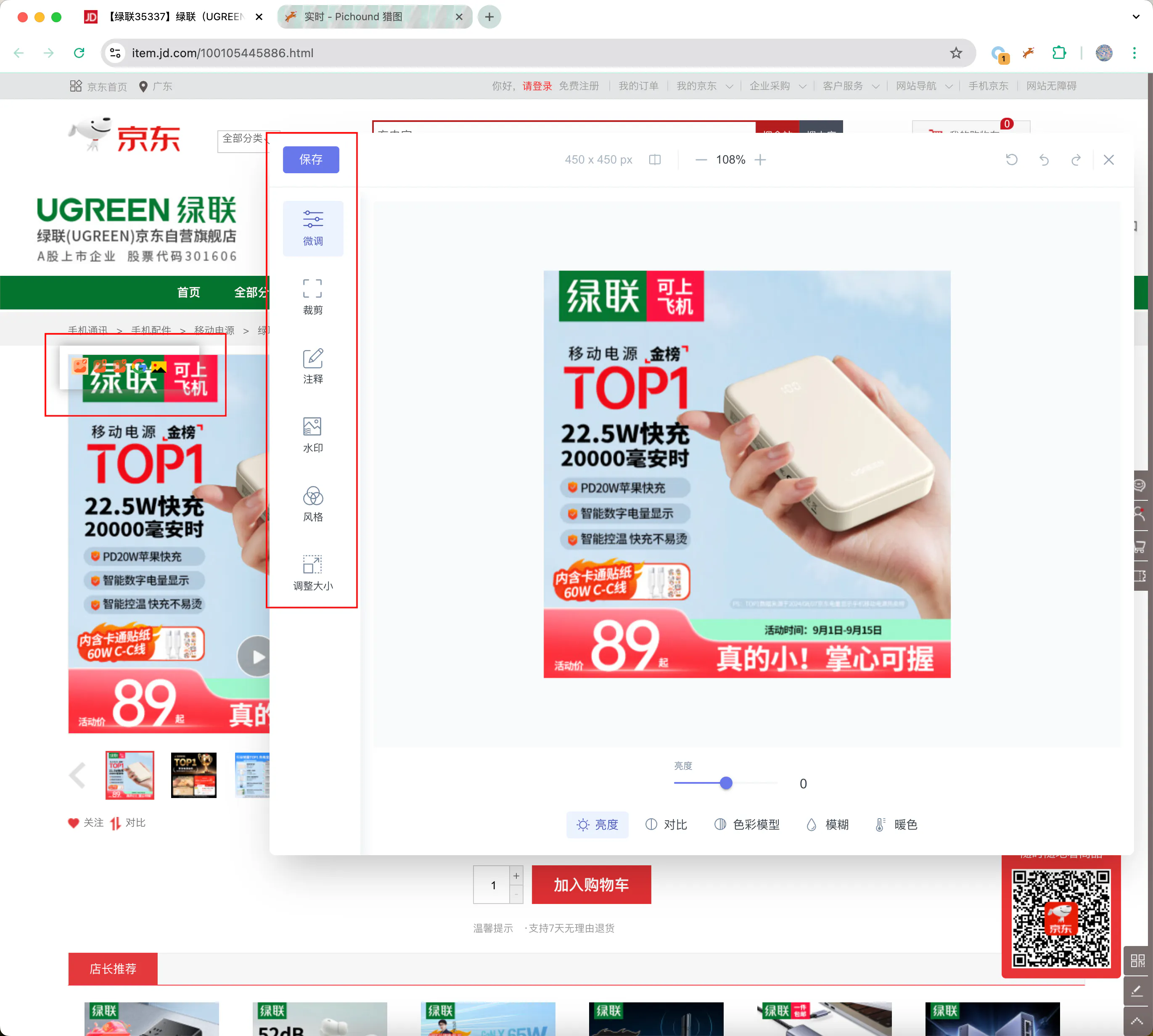
✏️ Local Image Editing
Edit images without leaving your browser:
- Crop and resize
- Add annotations
- Apply filters
- Adjust colors
All editing happens locally - images are never uploaded.
🔎 Reverse Image Search
Search for similar images using:
- Google Images
- Yandex
- Other search engines
Opens search in a new tab - we don’t intercept or store your search data.
📑 Smart Scripts
Smart scripts help organize visible images on web pages by auto-grouping. They only work with images already loaded on the page. You can also create custom scripts for your workflow.
🛡️ Compliance Features
Minimal Permissions
We request only essential permissions:
activeTab- access current page when you click the extensiondownloads- save images to your devicestorage- store your preferences locally
We deliberately avoid high-risk permissions like *://*/*, tabs, history, or webRequest.
Copyright Warning
Before saving, PicHound displays:
“Please ensure you have authorization to save these images. This extension only provides technical tools. Copyright responsibility lies with the user.”
No Data Collection
We do not collect:
- Your images
- Browsing history
- Page content
- Personal information
The only data transmitted is license verification (device ID + license key).
💡 Best Practices
✅ Recommended Uses
- Save images you have permission to use
- Personal reference and inspiration
- Download your own uploaded images
- Save from sites that explicitly allow it
❌ Avoid
- Downloading copyrighted images without authorization
- Commercial use without permission
- Violating website terms of service
📞 Contact Us
Questions or suggestions? Contact us:
- Email: contact@pichound.app
- QQ Group: 312626469 (Chinese users)
PicHound - Save visible images responsibly.