Frequently Asked Questions
During the use of the extension, you will inevitably encounter various problems. Our official website provides rich documentation for reference. We recommend that you try to solve problems yourself first, which saves both time and effort.
1️⃣ Can’t find images on the page?
Try the following methods:
- Enable “Turbo Mode” or “Real-time Mode”
- Use “Auto Scroll” to load lazy-loaded images
- Check if filter conditions are too strict (size, type, etc.)
- Some websites use CSS background images, check “Image Layer” settings
2️⃣ Downloaded image filenames are garbled?
Go to Settings → Download → Custom Filename, use template:
{NUM}_{NAME}.{EXT}Or use webpage title:
{TITLE}_{NUM}.{EXT}Supported variables:
{NUM}- Sequence number{EXT}- Extension{NAME}- Original filename{TITLE}- Webpage title{TIMESTAMP}- Timestamp
3️⃣ How to download images that require login?
- First login to the target website normally in your browser
- PicHound will reuse the browser’s login state
- If you encounter captcha, pause sniffing and complete verification first
4️⃣ Difference between Turbo Mode and Normal Mode?
| Mode | Description |
|---|---|
| Turbo Mode | Loads images directly in current window context, faster but may be incompatible with some websites |
| Normal Mode | Collects via background script, better compatibility but slightly slower |
Recommendation: Use Turbo Mode first, switch to Normal Mode if you encounter issues.
5️⃣ Background removal feature not working?
- First use requires loading AI model (~100MB), please wait patiently
- Ensure network connection is stable
- Try switching to “Cross-browser version” for better compatibility
- Background removal is based on RMBG-1.4 model, complex images may not work perfectly
6️⃣ How to use plugin scripts?
- Go to Settings → Advanced → Plugins
- Select preset scripts or add custom JSON scripts
- Scripts will automatically group images for matching URLs
PicHound has 50+ built-in smart scripts for mainstream platforms:
| Domestic Platforms | International Platforms |
|---|---|
| Taobao, Tmall, JD | Amazon, Ebay, AliExpress |
| Pinduoduo, 1688, Vipshop | Shopee, Lazada, Temu |
| Suning, Dangdang, Youzan | DHgate, SHEIN, iHerb |
| Xiaohongshu, Douyin | Mercadolibre, Qoo10 |
For detailed script configuration, refer to Smart Scripts documentation.
7️⃣ VIP activation failed?
- Check if the activation code is entered correctly (mind case and spaces)
- Each activation code is limited to 3 activations
8️⃣ How to sequential download images from multiple pages?
- Open multiple target webpage tabs
- In PicHound, select “All Pages”
- Use filters to screen then sequential download
- Enable “Follow Tab” to automatically follow currently active browser tab
9️⃣ How to Filter Captcha?
Due to the impact of crawling strategies, image captchas on some websites may become invalid.
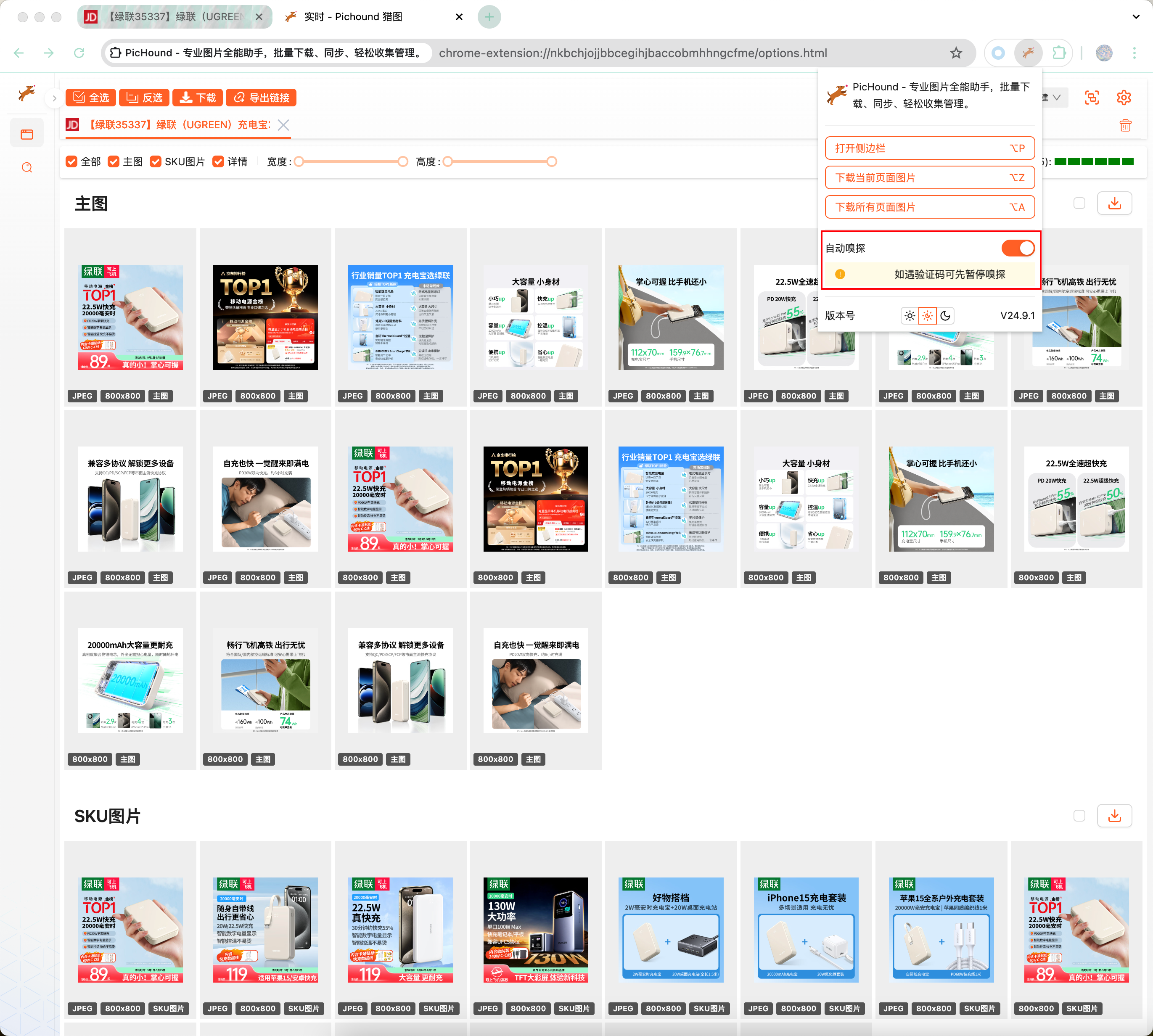
During the verification phase, first turn off the automatic sniffing function, and then turn it back on after successful verification.
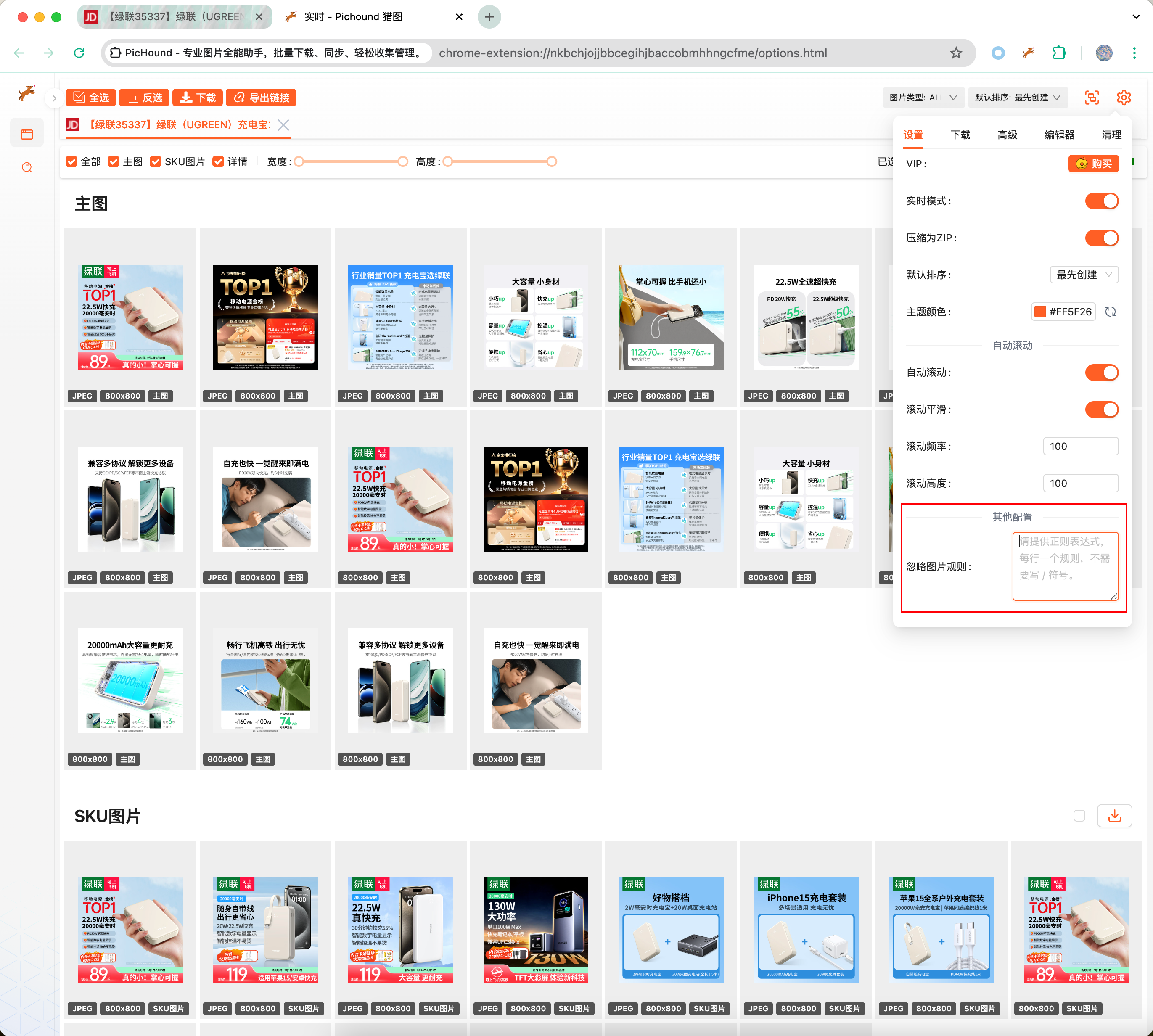
Right-click on the captcha, get its URL, then select part of the captcha’s keywords and fill them into the “Ignore Image Rules”.
🔟 How to Update Extension Version?
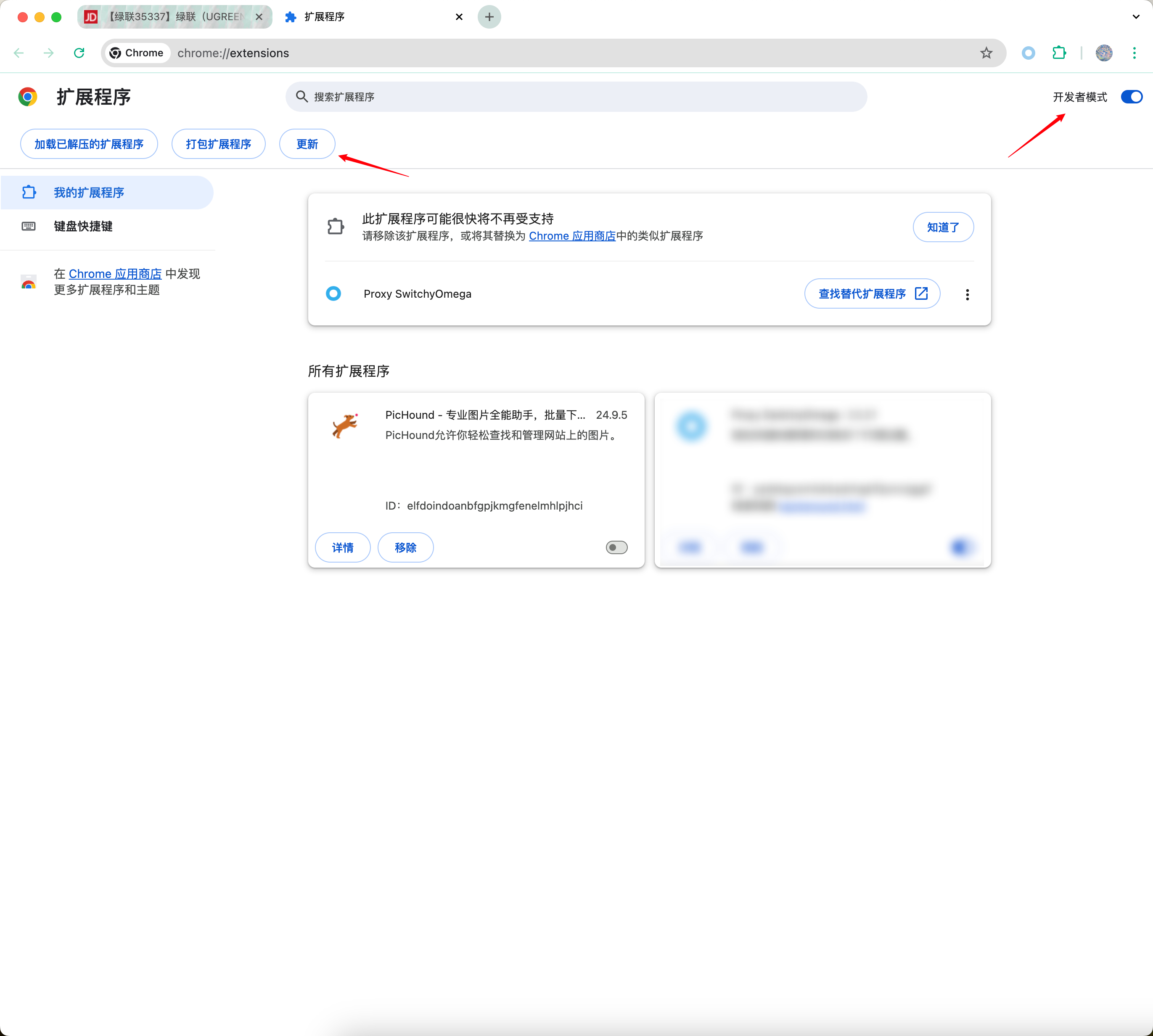
If the extension is installed from the webstore, it will automatically update, so you don’t need to worry. If you need to update manually, visit “chrome://extensions/”, enable developer mode, and then click the “Update” button.